

Substack Bio Tips That Turn Casual Readers Into Loyal Subscribers
Simple, proven ways to create a bio that clearly explains who you’re writing for, what you publish, and why it’s worth subscribing

⚙️ Wednesday Workflow · One small problem. One simple workflow.

My Medium friends can read this article over there as well.
I opened my Substack account a couple of years ago, but never really did anything on the platform until midway through 2025.
Prior to that, I’d focused most of my attention on X, where I grew my account to nearly 30,000 followers.
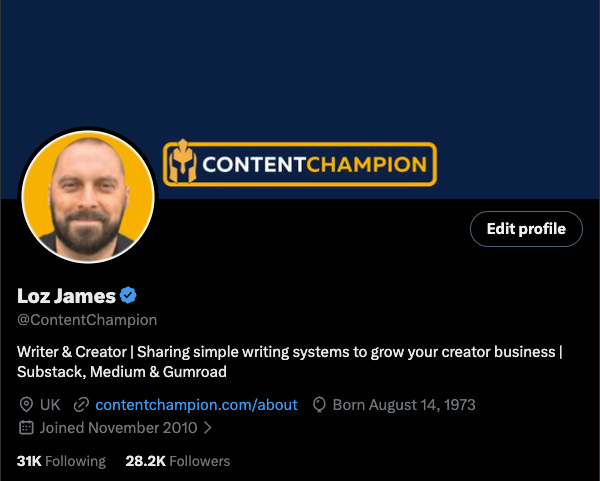
Part of this process was creating an engaging bio, and to help grow my Substack in the same way, I’ve just started to apply the same optimisations to my account bio here as well.
Here’s a picture of my new Content Champion Substack bio. I’ve got limited followers at the moment, but I’m hoping it will have the same effect that my X/Twitter bio had in getting people to engage, follow me, sign up and all that good stuff.
I’ve annotated the screenshot 1-9, and below I’ll go through all the different elements you can optimise in your bio to make it more attractive.
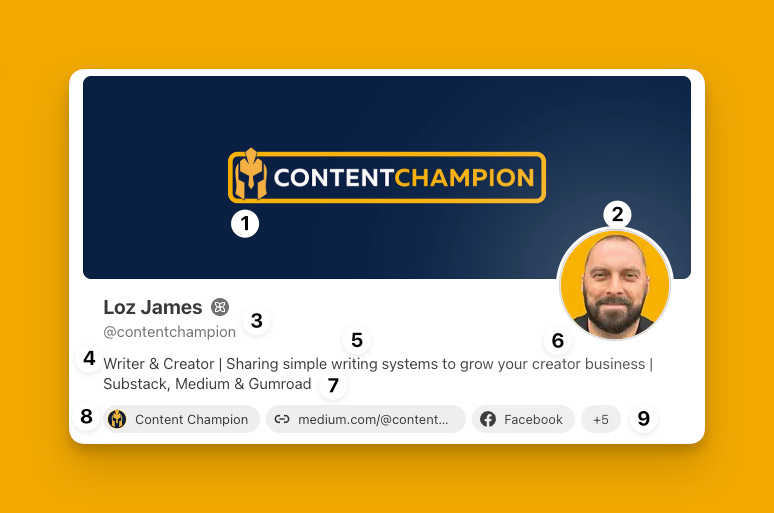
This is my profile cover image, which is 1200 x 400 px. Substack will accept JPG, PNG, WebP, or GIF files to upload. I made this in Canva - and as I’m not a designer I like to keep things simple. This makes your designs look more professional as they’re not cluttered. Apparently leaving lots of space is a ‘thing’ in aesthetic terms.
I made the logo in Canva too, and have a simple three colour brand signature of orange/yellow, dark blue and white. This carries across all my socials and online branding.This is my profile picture, which again is used everywhere. It’s just a slightly smiling mugshot of yours truly facing front and centre, which makes me look professional and approachable. I cut it out in Canva and put it on my signature orange/yellow background in a circular frame.
Obviously this is just my name and newsletter brand - and I’ve just got one publication (at the moment). This is worth noting, as what I like about Substack is you have a personal profile for all your Notes, but can then have multiple newsletters if you want to scale up at any point.
This is the start of the text description in your bio, which is very important. Mine is broken into three parts. This first part tells my target audience what I do - or how I identify myself creatively, eg ‘Writer & Creator’. I have a specific avatar that I’m targeting - so I’ll cover how I developed that in another post.
The second part of this description then tells my target audience what I can help them with, eg ‘simple writing systems’. This bit runs on into No 6 as well…
This third part of the text description then identifies the target audience (creators), and gives them a clear outcome or aspiration of what they can expect to achieve if they follow me, eg ‘grow your creator business’.
Next up, I tell my readers the main platforms where they can find me - so they can engage where they choose, have a membership or are most active.
Then, I link to my Substack newsletter itself (which has a custom domain for SEO reasons - more on this another day), and I also have a link to my Medium account. My content strategy involves cross posting between Substack and Medium, so these two are front and centre.
Lastly, I include links to my other key socials - which are mainly X, LinkedIn and Facebook - although I’m using the latter less and less these days as it’s frankly shite. Looking at this now, I should actually take this off there.
Anyway - that’s my Substack bio setup, and I think it looks nice and clean - and more importantly tells my target audience what I do, how I can help and where they can engage with me.
The whole thing took about an hour to set up, including the logo, profile picture and profile cover image.
So I’m hoping it will have the same positive effect on my Substack account growth as my Twitter/X bio has done. (Whatever the hell Musk calls it these days).